One of the Best Social Media Scheduling Platforms for Distributing Content

Welcome to the Dashboard!
Social media is 24/7, always rolling (always scrolling!) and really, really “noisy”.
It’s as important to know when to post as it is what to post.
Luckily for us, there are hundreds organizations that have gathered those stats and made them available to us. Here are a few of the good sources:
Congratulations! Now, you know the best times to post on each platform. But if the idea of retyping each of your posts for each of your social media accounts sounds like a nightmare, and a poor use of your time, there is a solution to make your life easier.
Say hello and sign up to one of the best social media content scheduling and engagement platforms out there:
Hootsuite
This is perfect as your full-on, social media management dashboard. You can set up a number of “streams” – feeds – from your various social media accounts. These include the Home feed (timeline), Mentions, Likes, Retweets, Follows, and even conversations built around hashtags: create a stream of every tweet/post that has used a particular # – an amazing way to know what people are talking about!
You can also gather these streams together under “tabs” – major headings – to keep things cleaner and more organized.
Here’s a snip from the Twitter Tab in Digital Esquire’s Hootsuite Account:

You’ll see across the top I have TABS for each social platform: Twitter, Facebook, LinkedIn. Here, we’re on the Twitter tab, and you can see all the STREAMS I have set up.
- Home: what’s happening in the Twitterverse
- My Tweets: only the tweets I’ve put out into the Twitterverse
- Mentions: another accounts that have @Mentioned me/digitalesquire
- Marketing – News: a stream based on one of my twitter lists – where I’ve gathered together various accounts I follow under one group or subject
The list goes on.
Creating a Post
You create new posts by clicking on New Post (top of screen) and you get the set up window:
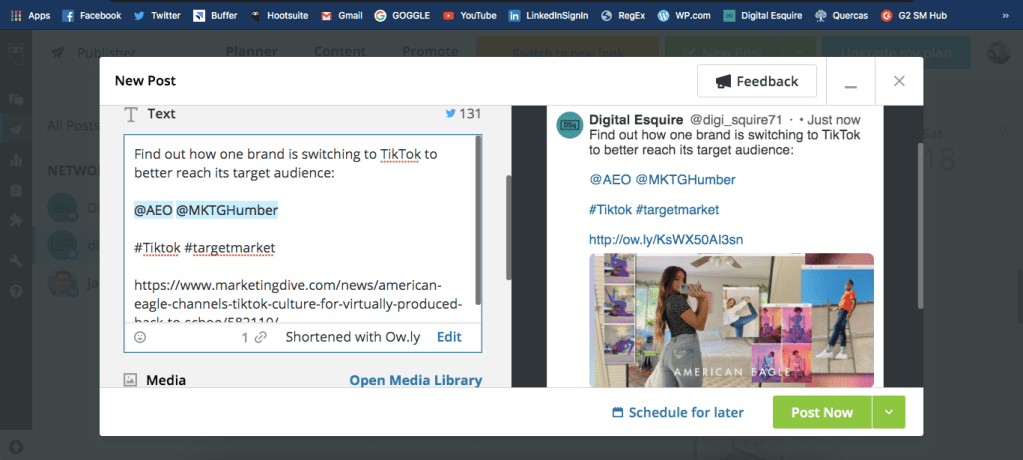
Here, I’ve written my headline, added 2 mentions, 2 hashtags, and shortened the original URL to an ow.ly link (check out the Preview on the right of the screen).
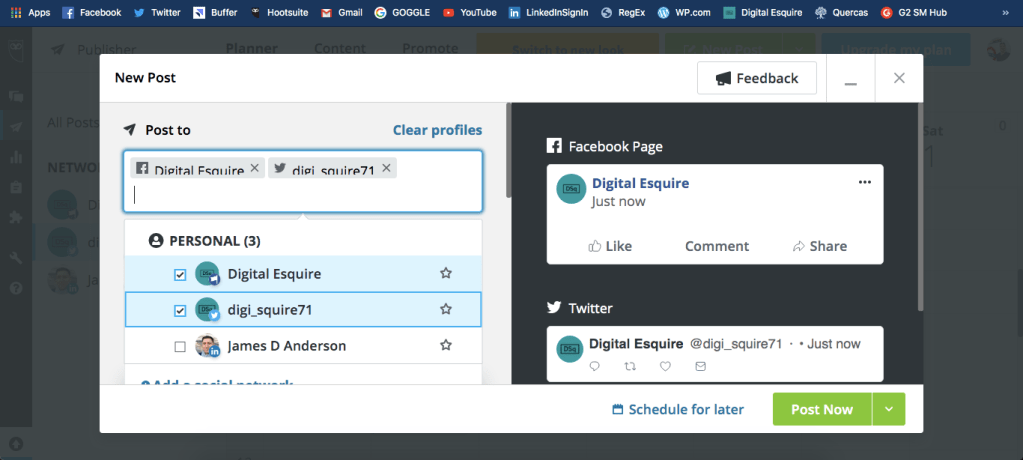
And the best part, is that you can send the same post to all of your social accounts! Just select them before you start typing your text copy:
You can even use the built-in Photo Editor to size your image perfectly for each platform:
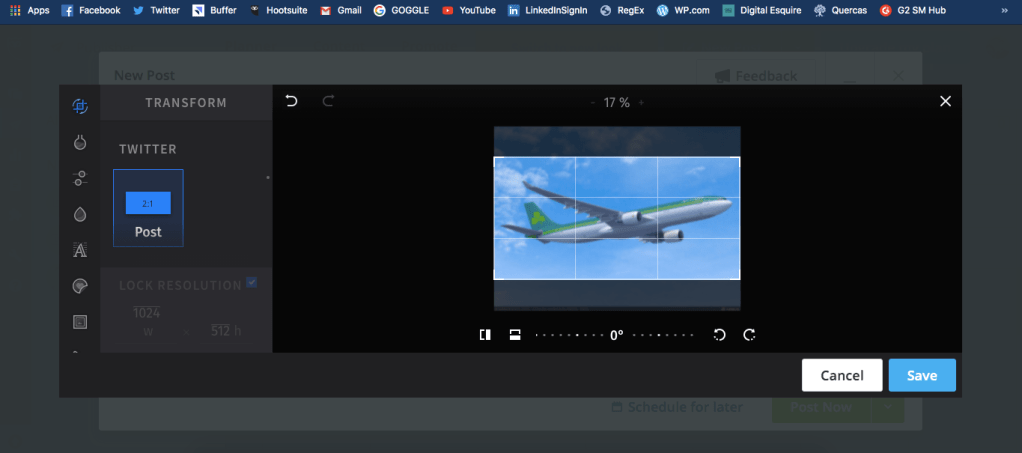
Once you’ve uploaded your image, just hit Edit Image below it and go to town.
Schedule a Post
After you’ve got all of that done, set your timer (Schedule for later) and hit Done – which you’ll see in the schedule pop up – and then the Post Now turns into Schedule.
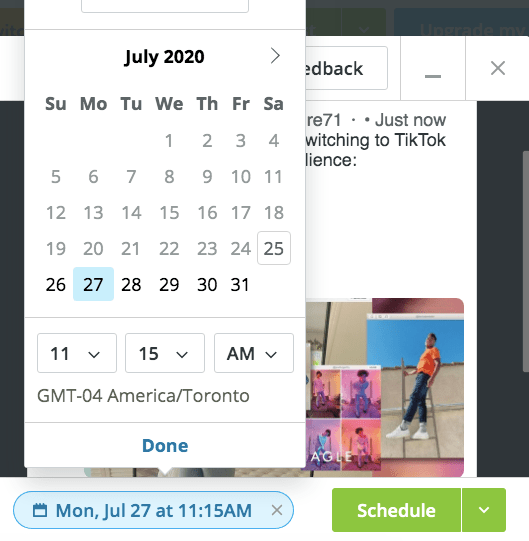
Once that’s done, pop into the Publisher window and you’ll see it:
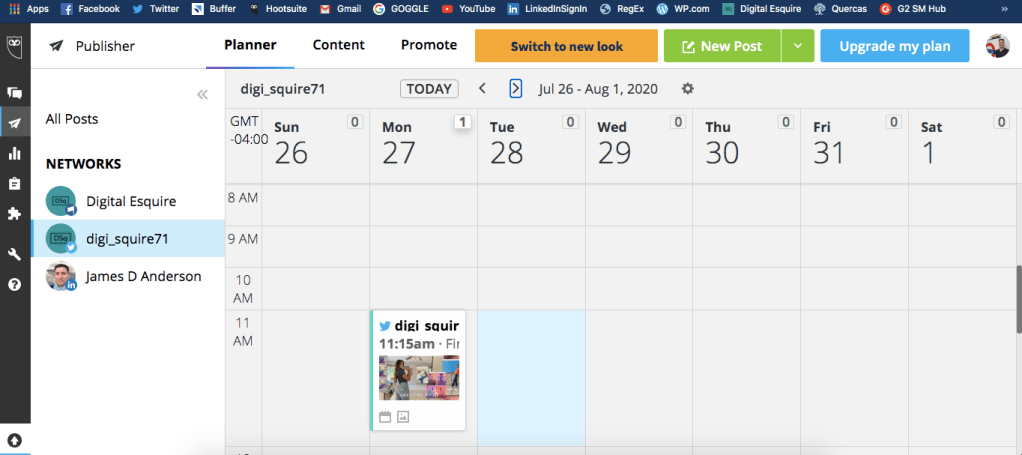
And there it is, in the digi_squire71 Twitter account, scheduled for 11:15 am on Monday, July 27, 2020!
Now you can sit back and relax. Hootsuite will take care of the rest.
Keep in Mind
Special Note: When creating your messages in the composer you cannot customise them for each different social media platform – and that’s an issue because you do need to compose differently for each platform.
Special Note 2: You cannot create a permanent schedule to occur each week. You will just have to set times for every post.
So, what’s a digital marketer to do?
Never fear, Digital Esquire is here!
Head over to my post about Buffer – The Other Best Social Media Platform to Distribute Content.
 Digital Esquire
Thank you this is really helpful. I’m going to give it a go!
LikeLike